Our verdict
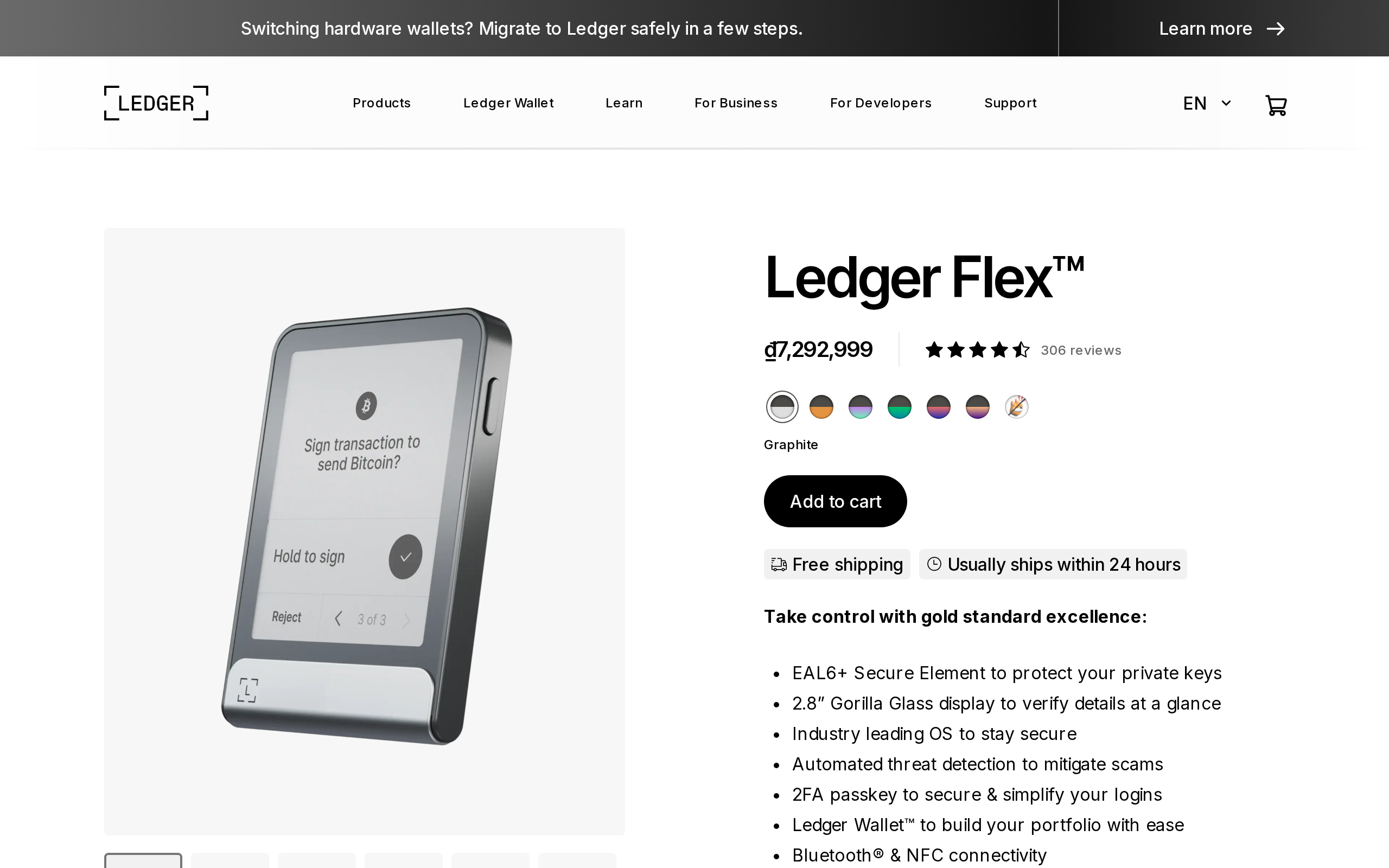
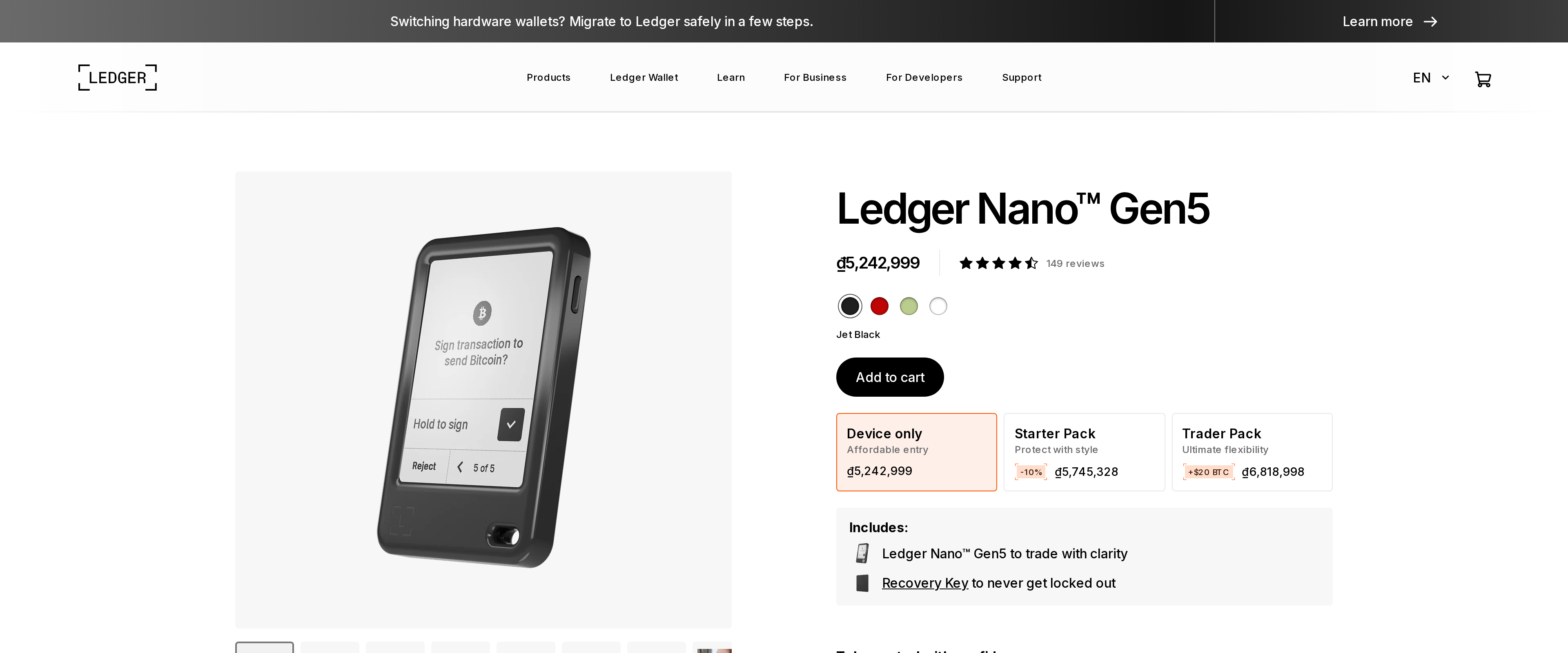
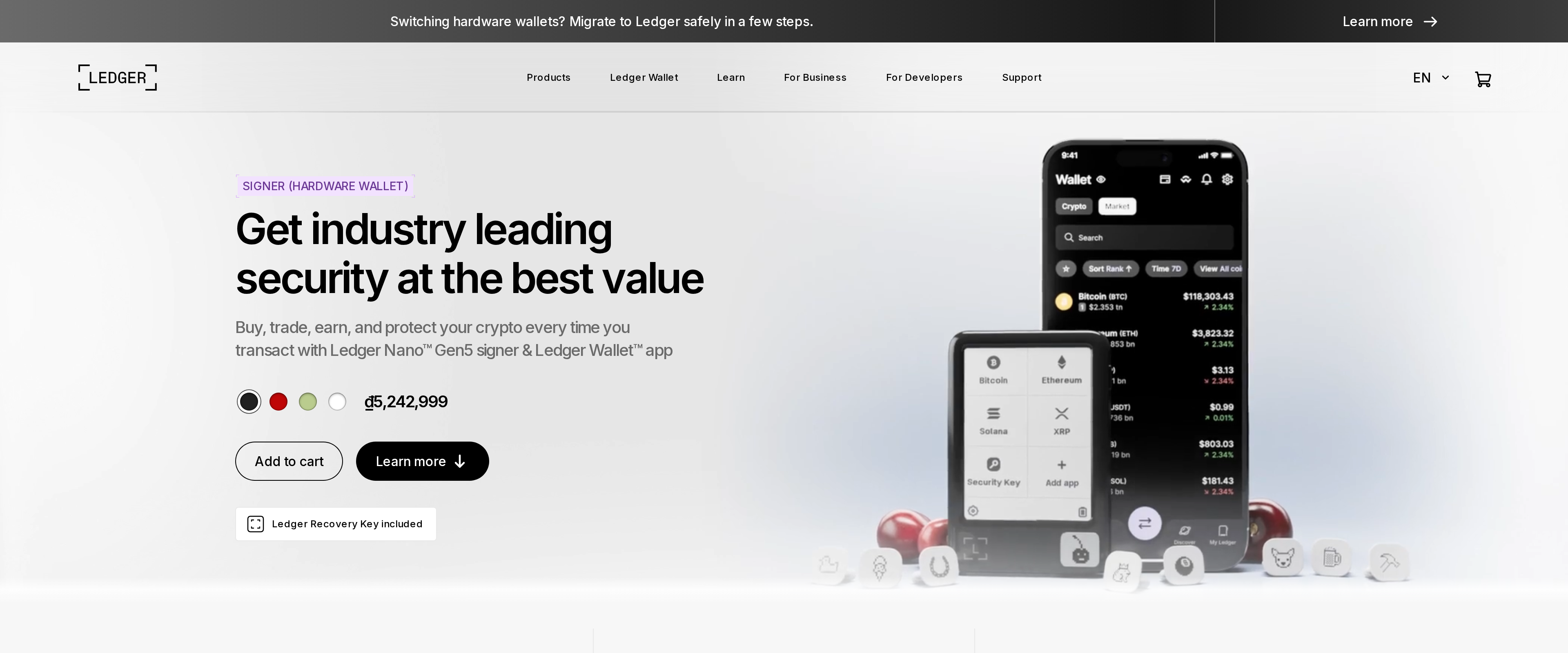
The Nano Gen5 brings Ledger's touchscreen signing to its cheapest current model, and the same EAL6+ secure chip and Ledger OS the Flex runs. It stays worth $179 for anyone who does not need the Flex's larger, higher-contrast E Ink screen for reading long smart contract calls, and the $70 saved buys a lot of coffee for a device doing the same core job.
Specs
- Price
- $179
- Screen
- 2.8-inch E Ink touchscreen, 300x400px, monochrome, 2 grayscale levels
- Secure chip
- ST33K1M5, CC EAL6+ certified
- Connectivity
- USB-C, Bluetooth 5.2, NFC
- Battery
- 190 mAh, roughly 10 hours of active use
- Native coin support
- 500+ via the Ledger Wallet app; more via third-party wallets
- Dimensions/weight
- 79.4 x 53.3 x 8.6mm, 46g
- In the box
- Device, USB-C cable, 3 recovery sheets, Ledger Recovery Key, safety leaflet
Ledger's Nano line spent years stuck with two physical buttons and a screen barely big enough for an address. The Gen5 fixes that with a 2.8-inch touchscreen, and it does it at $179 rather than the $249 Ledger charges for the Flex, which got the same upgrade first. We bought one, moved a small amount of Bitcoin and USDC onto it, signed transactions on both a phone and a laptop, and tracked how much of the Flex's experience actually carries over at the lower price.
Setting it up took less time than reading the manual
Pairing the Gen5 to the Ledger Wallet app over Bluetooth worked on the first attempt, and the whole process from unboxing to a confirmed receive address took us under ten minutes. The touchscreen replaces the old click-wheel navigation entirely, and tapping through a transaction confirmation felt closer to using a phone than the fiddly two-button scroll on the Nano X we tested previously. NFC pairing also worked for a quick balance check without opening Bluetooth settings first, which is a small convenience the older Nano models never had.
Restoring an existing seed phrase from an older Nano S Plus onto the Gen5 took about five extra minutes, mostly spent typing 24 words onto a touchscreen keyboard that is smaller than a phone's. It is workable but fiddly, and anyone switching from a different brand's wallet should expect the same manual re-entry rather than an automatic transfer.
The screen is good, not great
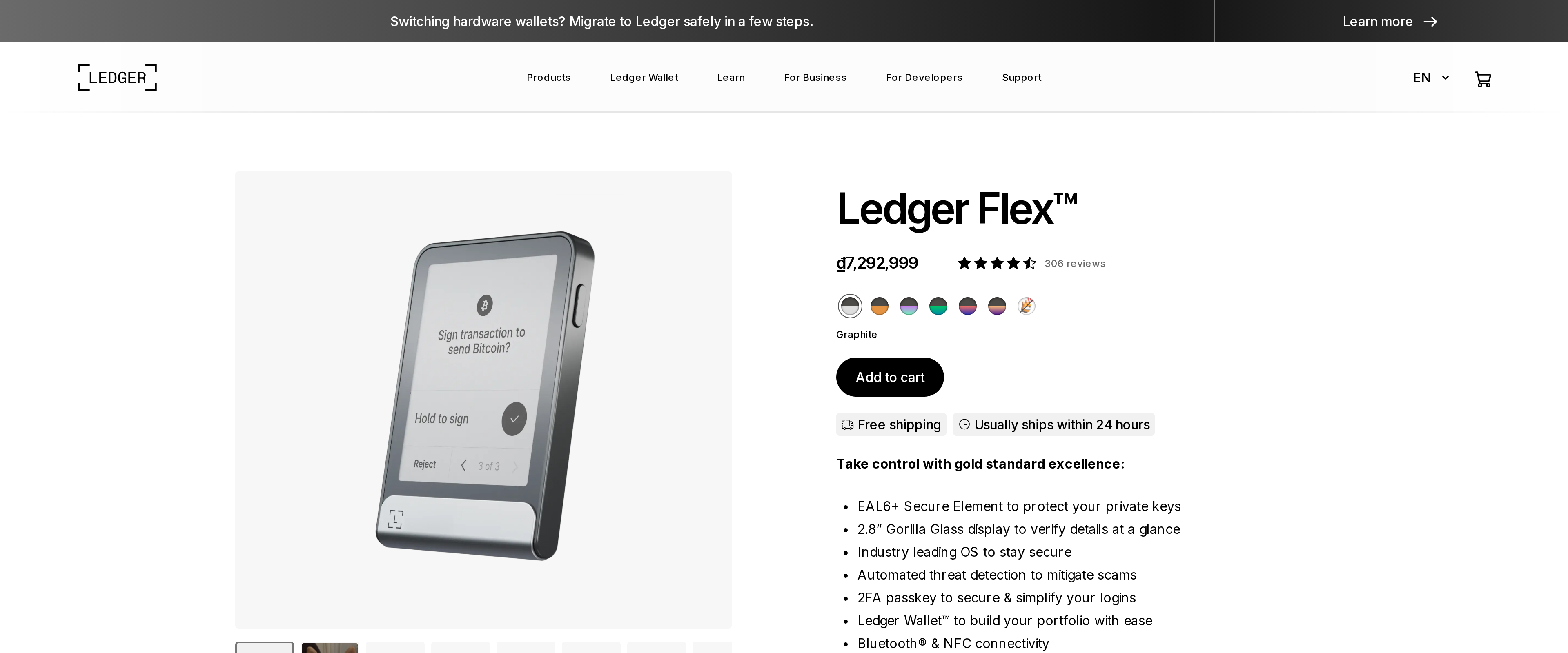
Ledger's spec sheet lists the Gen5's display at 2 grayscale levels against the Flex's 16, and that difference showed up the moment we tried to read a longer smart contract call during a token swap. Text stayed legible, but there was none of the paper-like shading the Flex uses to separate sections of a signing request. For a simple send or receive, this does not matter. For someone who regularly reviews multi-step DeFi transactions, the Flex's larger, higher-contrast panel genuinely makes the details easier to check before approving.
What is actually shared with the pricier Flex
Underneath the screen, the Gen5 runs the identical ST33K1M5 secure chip, certified to CC EAL6+, that ships in the Flex, along with the same Ledger OS. That matters more than the screen size for the core promise of a hardware wallet: keys never leave the chip, and the Gen5 signs with the same certified hardware backing every transaction that the $249 device does. Ledger is not cutting corners on the part that actually protects your coins.
Battery, coins, and the Recover question
The 190 mAh battery is rated for about ten hours of active use, which covered a full week of light daily checking for us before needing a recharge, but would not survive a busy trading day of constant signing without topping up. Native support inside the Ledger Wallet app covers 500-plus coins; anything outside that list, including many newer tokens, needs a third-party wallet connected to the device instead, the same limitation every Nano has carried.
Ledger Recover, the paid seed-backup service that split opinion badly when it was announced in 2023, is still offered as an opt-in add-on on this device. The pitch is straightforward: split your recovery phrase into encrypted fragments held by three separate custodians, so losing the device and the paper backup at once does not mean losing the coins. The objection from security researchers back then was just as straightforward, since Ledger itself confirmed a government subpoena to those custodians could theoretically reassemble a user's keys. We did not enable it during testing and would not recommend it to anyone uncomfortable with a third party ever holding fragments of a recovery phrase, but its continued presence is worth knowing about before you set up the device, not after.
Our verdict
The Nano Gen5 gets Ledger's touchscreen era to a $179 price point without touching the security chip that actually matters, and for anyone whose crypto use is send, receive and the occasional swap, the Flex's extra screen quality is not worth $70. Buy the Flex instead if you sign complicated contract calls often enough that reading every line matters; buy the Gen5 if you just want a secure, modern Ledger without paying for a screen you will rarely need.
Pros and cons
Pros
- The 2.8-inch touchscreen replaces two-button navigation, and setup took us under ten minutes start to finish
- The same ST33K1M5 secure chip with CC EAL6+ certification runs in the pricier Flex
- Bluetooth 5.2 and NFC let the Ledger Wallet mobile app pair without a cable for everyday checks
- A Ledger Recovery Key ships in the box, which used to be an extra step on older Nano models
Cons
- The screen shows only 2 grayscale levels against the Flex's 16, so dense contract data reads flatter
- A 190 mAh battery rated for about 10 hours means frequent signers will recharge more than once a week
- Ledger Recover, the paid seed-backup service, remains a live opt-in add-on that some in the community still distrust
- 500+ coins route through Ledger's own app; anything beyond that needs a third-party wallet paired to the device
Tested and written by The Ordertide Test Desk. Published , updated . This review is not financial advice. How we review.